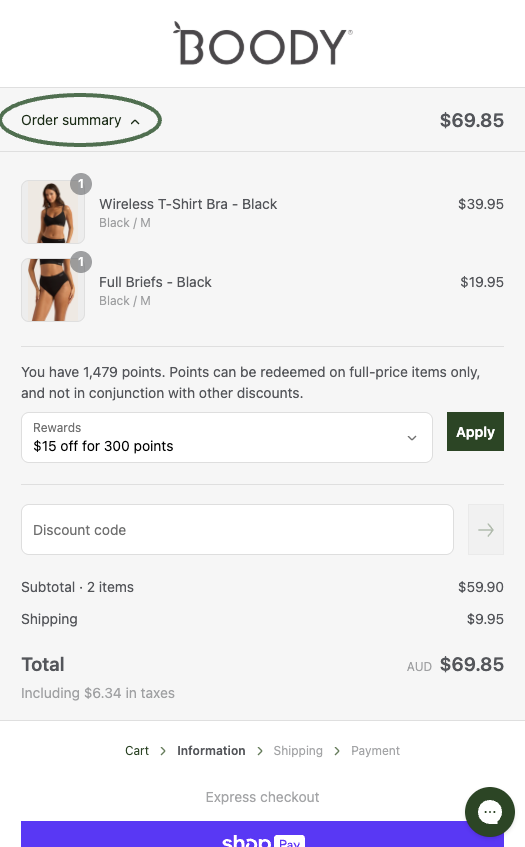
How do I redeem my points?Updated 8 months ago
Points may be redeemed in fixed increments for discounts between $10 and $75 at checkout (20 Points = $1 discount). You must have at least 200 points available to redeem.
Discount Amount | Points Required |
|---|---|
| $10 | 200 |
| $15 | 300 |
| $20 | 400 |
| $25 | 500 |
| $30 | 600 |
| $50 | 1,000 |
| $75 | 1,500 |
To redeem your points, make sure you're logged in to your account and do your shopping as usual.
Once at checkout, you will be greeted with a dropdown menu to select how many points you wish to redeem on your order.
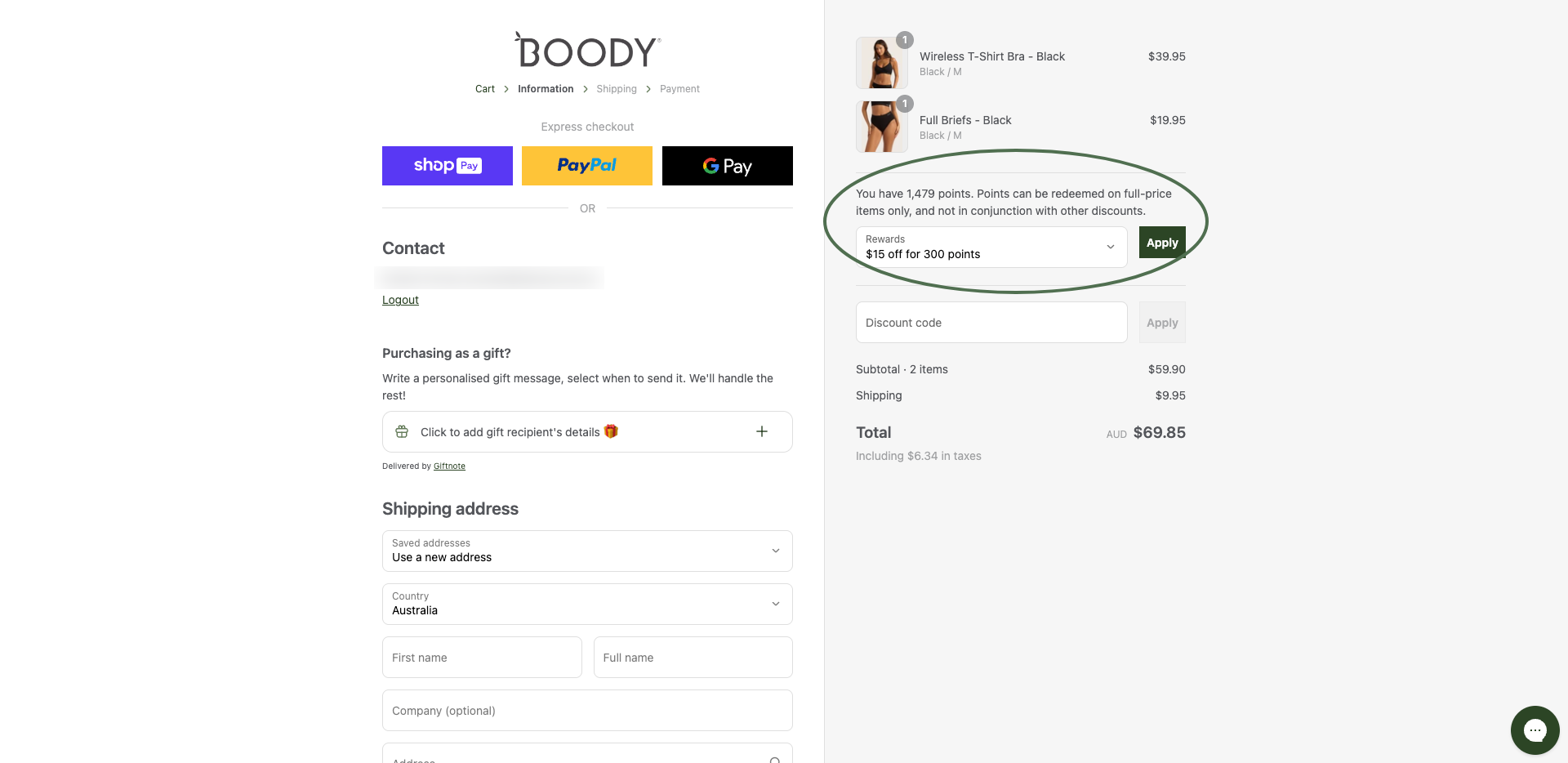
Select the amount and click 'Apply' to redeem. It's that easy!
If you're on mobile, click 'Order summary' to reveal the dropdown menu.